


DailyReel:Movie Guide & Editor
4.180.00 Reviews
App Specs
- Version
- 1.0.4
- Updated On
- License
- Free
- Downloads
- 1,000,000+
- Developer
- rea reo hore hore
- Categories
- Entertainment
- Platform
- Android
Screenshots
 Analysis by AppCompare
I approached DailyReel:Movie Guide & Editor as a practical entertainment tool rather than just another place to browse titles. Its appeal is the combination of movie discovery, TV-show tracking, and simple cinematic vlog editing with subtitles and cropping. That mix makes it more interesting than a basic watchlist, although it also means the experience depends on how clearly you separate browsing from editing in your routine.
The app is free, aimed at everyone, and comes from rea reo hore hore. It has built a noticeable audience, with over one million installs and a 4.2 average from around seven hundred ratings. I can understand that response: the idea is easy to grasp, and the three main activities fit naturally around a film-watching habit. I also found that its usefulness depends less on how many things it tries to do and more on whether you use each part for a specific purpose.
Where DailyReel usually feels less obvious
I find that DailyReel’s less obvious moments often come from switching between entertainment discovery and editing, rather than from either task on its own. This section looks at how to spot that change in purpose and keep a small project from feeling harder than it needs to be. Before settling into a routine, I would also check a few basics on the device and in the app.
One app, three different jobs
The first point of friction is conceptual. A movie guide, a TV tracker, and a video editor normally belong to separate apps, so I had to adjust my expectations. DailyReel is not simply a streaming service, and it should not be judged as though it replaces one. Its discovery side helps organize your entertainment interests, while the editing side is for shaping your own short visual posts or diary-style clips.
That distinction matters when you open the app expecting a complete viewing destination. The store summary focuses on discovering movies and tracking shows, but the app also gives attention to cinematic vlogs. I found the best results came from treating it as a companion: use it to decide what to watch, remember your TV progress, and turn selected moments from your own recordings into a more polished recap.
The most useful mindset is to see DailyReel as a personal entertainment notebook with a lightweight editor attached. That description sets a more realistic expectation than calling it a full replacement for a streaming catalog, a dedicated social editor, or a specialist film database.
Why the editing tools can be easy to underestimate
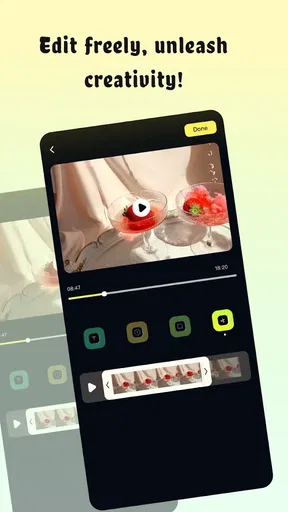
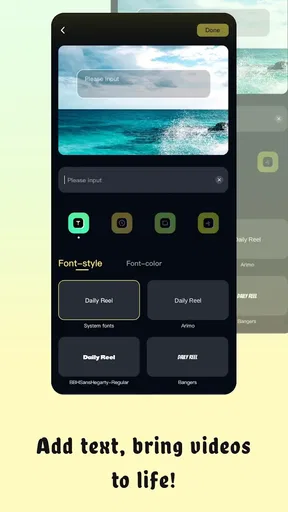
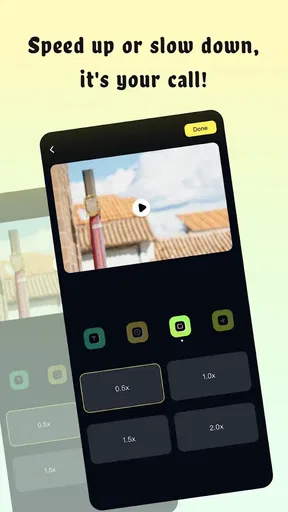
Subtitle and crop controls sound basic, but they solve two common problems in casual video sharing. Cropping lets you remove empty edges, awkward framing, or distracting parts of a room. Subtitles make a short clip easier to follow when sound is low or when spoken words need visual support. I would not approach these tools expecting the detailed timeline control found in a professional editor, but they are meaningful additions for quick cinematic updates.
Worth Reading Before You Choose

EA SPORTS FC Mobile 26 Is a Bigger Football Game, but It Takes Time

Flipboard Shows What News Apps Must Do Beyond the Feed

Switching to Android Auto Means Rethinking Your Driving Routine

Google Calendar Makes a Crowded Week Easier to Manage

Ludo King Makes the Most of the Minutes Between Plans

Baby Panda World Brings Quick Play to Modern Phones, but Its Game Library Feels Busy
A practical example is a weekend movie journal. I might record a short clip before a screening, capture a few atmosphere shots afterward, then crop each piece so the framing feels consistent. Adding a brief subtitle to identify the film or describe my reaction can make the result understandable without a long caption. The important trade-off is speed versus precision: DailyReel is more attractive when I want a finished-looking memory quickly, not when I need frame-by-frame production control.
Tracking is more useful when you keep it deliberate
TV tracking can become messy if I mark everything I have ever considered watching. I get more value by keeping the list focused on shows I am actively following or genuinely intend to start. That makes it easier to return after a busy week and remember where I left off, instead of turning the feature into a large, forgotten archive.
This is one of the less obvious ways to use the app well: treat the tracker as a current queue rather than a permanent record of every title that catches your eye. If I am following several shows at once, I prefer to update them immediately after watching. Delaying updates creates uncertainty later, especially when episodes have similar names or when I take a break between seasons.
Setup checks before blaming the app
A little preparation can make a more useful test than repeatedly reopening the same screen or project. I focus here on checking the installed build, choosing a manageable first task, and setting up source clips so the result is easier to judge. Once those checks are in place, it becomes clearer how to recover if a workflow still goes off track.
Start with a simple first session
Because the app combines entertainment information and editing, I recommend testing one task at a time. Begin by exploring a movie or show, then check how tracking fits your routine. Only after that would I move to the vlog tools. This staged approach makes it much easier to tell whether a problem belongs to navigation, your media workflow, or the device itself.
DailyReel supports devices running Android 7.0 or later, so the operating-system requirement is broad enough for many Android users. The current version is 1.0.4, and I would make sure the installed build is current before spending time diagnosing an odd screen or unexpected behavior. A basic restart after updating is also sensible, particularly if the app has just been installed or restored.
Prepare the material you actually want to edit
The editing experience is easier when your clips are already selected. Instead of opening the editor with a large camera roll and deciding everything inside it, I would first identify the few recordings that belong together. This reduces the chance of choosing near-duplicates, clips with poor framing, or unrelated moments that weaken the final sequence.
For subtitles, I would write short phrases rather than trying to reproduce a full conversation. A compact line can establish context, show a reaction, or identify a location without covering the main image. Cropping deserves similar restraint. If the subject is already close to the edge, an aggressive crop may remove the visual detail that makes the clip worthwhile. I found it better to crop for consistency across clips than to crop simply because the tool is available.
Check the difference between a content issue and an editing issue
Movie discovery and TV tracking answer questions about what I want to watch, while the editor works with material I supply. If a title is not what I expected, that is a discovery concern; if a personal clip looks wrong after editing, that is a media workflow concern. Keeping those categories separate prevents a frustrating search for a single setting that cannot solve both.
I would also avoid assuming that a title I discover inside an entertainment app can automatically be watched there. DailyReel’s role, as I experienced it, is better understood as helping me explore and organize viewing interests. The actual viewing experience may still belong to the service or platform I normally use. That is not a defect by itself, but it is an important expectation to set before installing.
Keep the first project intentionally small
My strongest setup tip is to make the first edited vlog short and uncomplicated. Use a few clips, apply one crop style where possible, and add only the subtitles that genuinely improve understanding. A small test tells you how the app handles your preferred material without turning a learning session into a large project that is difficult to rebuild.
This also reveals whether DailyReel suits your habits. Someone who wants quick personal recaps may appreciate the low barrier. Someone who routinely creates elaborate edits with layered sound, transitions, color adjustments, and detailed timing will probably feel constrained. Choosing the right project size is therefore not merely a troubleshooting tactic; it is a way to test the app honestly.
Recovering a workflow when something goes wrong
When a project becomes frustrating, I try to identify whether the problem is a poor creative choice, an out-of-sync tracking habit, or a task that is simply faster to rebuild. The approaches in this section help me recover without turning a quick vlog or watchlist update into a lengthy repair job. Device and connection conditions can also shape what happens, so it helps to distinguish those from app-related issues.
When a clip does not look right
If a cropped clip feels unbalanced, I would return to the original framing instead of repeatedly tightening the crop. Cropping cannot restore visual information that has already been removed, so a better recovery is often to choose a different source clip or accept a wider composition. This is especially important for vertical footage, where a small adjustment can change the subject’s position dramatically.
For subtitles, check whether the text is helping the image or competing with it. If a line is too long, split the idea into shorter wording rather than shrinking it until it becomes difficult to read. If the subtitle covers a face or the key action, repositioning or simplifying it is usually more effective than adding more text. The goal is clarity, not a transcript.
When a tracking routine gets out of sync
If my show list no longer reflects what I have watched, I would correct it from the latest point I can remember instead of trying to reconstruct every historical detail. Then I would adopt one consistent habit: update immediately after an episode or update at a fixed weekly time. Consistency matters more than perfect backfilling.
A useful personal rule is to keep a separate mental distinction between “watching,” “paused,” and “maybe later.” If every title receives the same status, the tracker loses its value. I would rather maintain a smaller, accurate list than a crowded one that forces me to investigate my own intentions each time I open the app.
When restarting the task is faster
Small creative projects can become harder to repair than to recreate. If a short vlog has only a handful of clips, I would save the idea, note the subtitle wording I liked, and rebuild it with cleaner source material. This avoids spending too long trying to correct a sequence that was poorly planned from the beginning.
That approach is particularly helpful when the problem is not a crash but an unsatisfying result. A technically successful edit can still feel flat because the clips do not share a visual rhythm, the crop changes too much between shots, or the subtitles explain what the image already shows. In those cases, starting again is a creative correction rather than a sign that the app has failed.
Use the app in separate passes
I recommend a three-pass workflow. First, select the movie or show information you want to keep in mind. Second, choose and trim the personal footage conceptually, even if the app handles the actual editing. Third, add crops and subtitles only after the sequence makes sense without decoration. This prevents effects from hiding a weak story.
The trade-off is that DailyReel feels more convenient for quick, intentional edits than for experimentation with dozens of variations. If I know the purpose of the clip before opening the editor, I spend less time searching and more time refining. That is a concrete advantage for people who want to document a viewing night without turning it into a full production session.
When the app is not the cause
It is easy to treat every delay or disappointing edit as an app fault, but the cause may be the source clip, the device, or the task being attempted. This section considers those alternatives and the situations where another kind of app is a more sensible fit. With that distinction made, the closing verdict can focus on whether DailyReel’s particular combination is worth trying.
Device conditions can change the experience
Not every delay or unexpected result points to DailyReel. A device with limited free space, many active apps, or an older Android build may struggle with media handling even when ordinary browsing works well. Before blaming the editor, I would close unnecessary apps, confirm that the device has room for the original and edited media, and reopen the project.
I would also test with a short clip before concluding that all editing is unreliable. Large or complicated source material can expose device limitations more quickly than a small test file. Comparing one simple clip with one more demanding clip gives a more useful diagnosis than repeatedly opening the same heavy project.
Network expectations need to be realistic
Discovery and tracking may involve information that behaves differently from locally stored video. If browsing feels slow while personal clips open normally, the issue may be connectivity rather than the editing tools. A quick test on a stable connection can help separate these situations. I would avoid repeatedly tapping the same control during a delay, since that can make the interface feel more confused than it actually is.
Likewise, an interruption during a discovery session does not necessarily mean that your local editing work is affected. I prefer to finish one kind of task before switching to another, especially when moving between browsing titles and working with personal media. That simple separation makes recovery easier if one part of the experience becomes unavailable.
Know when another app is a better fit
DailyReel is not the right choice for everyone. If your main goal is advanced video production, a dedicated editor will likely offer more control. If you only need a huge movie database with deep filtering and detailed credits, a specialized film-information service may suit you better. If you want to watch content directly rather than organize your interests, a streaming app is the more natural destination.
I would also skip it if I dislike combining unrelated tasks in one interface. Some people prefer a clean separation between a watchlist, a TV tracker, and a video editor. That arrangement can feel more predictable, even if it requires several apps. DailyReel’s advantage is convenience for users who enjoy the connection between what they watch and the small visual diary they create around it; that same combination may feel unnecessary to everyone else.
My practical verdict after using the full concept
DailyReel works best when I give it a modest, clear job: discover something interesting, keep track of the shows I am actually following, and make a short cinematic recap from my own clips. The subtitle and crop tools add practical value because they address two common presentation problems without demanding a complicated editing routine.
I appreciate that the app is free and available to an Everyone audience, which lowers the risk of trying it as a casual entertainment companion. Its rating of 4.2 from around seven hundred ratings suggests that the straightforward concept connects with many users, while the broad install base shows that it is not an obscure experiment. Still, popularity does not change the central limitation: this is a compact multi-purpose tool, not a specialist replacement for every app in the same space.
The developer, rea reo hore hore, has positioned the experience around a useful overlap between viewing habits and personal video creation. My advice is to install it if you want those activities to live together and you value speed over deep customization. Start with one tracked show and one small vlog, keep your subtitles brief, and use cropping to improve consistency rather than to rescue badly framed footage.
My recommendation is positive for casual movie fans, TV followers, and people who want quick viewing-related vlogs. I would choose another option for professional editing, exhaustive film research, or direct streaming. Used within its natural boundaries, DailyReel feels approachable and practical; used as an all-in-one replacement for dedicated services, it is likely to feel limited.
Pros
- Quickly discover movies with personalized recommendations.
- Useful filters make browsing by genre
- rating
- and release year easier.
- Trailer previews help you judge a film before watching.
- Clean interface is simple for casual users to navigate.
- Editing tools add creative options for making movie-related reels.
Cons
- Some recommendations may feel repetitive without regular profile updates.
- Trailer availability can vary by title and region.
- Movie details may occasionally depend on third-party data accuracy.
- Editing features may be limited compared with dedicated video editors.
- Some features or content may require in-app purchases or ads.
FAQs for DailyReel:Movie Guide & Editor
What is DailyReel: Movie Guide & Editor used for?
DailyReel: Movie Guide & Editor combines movie discovery with creative editing tools. You can browse film information, explore recommendations, keep track of titles you want to watch, and create or edit movie-related visual content. It is designed for both casual viewers looking for something new and users who enjoy producing short, polished media inspired by films.
Does DailyReel provide complete movie streaming access?
DailyReel should not be treated as a replacement for major streaming platforms. Its primary purpose is to help users discover movies, review details, organize viewing interests, and edit related content. Availability of trailers, clips, posters, or other media may vary depending on licensing, region, and the app’s current catalog. Always check where a title is legally available before watching.
Is DailyReel: Movie Guide & Editor free to download and use?
The application may be available to download without an upfront charge, but some features can depend on advertising, in-app purchases, subscriptions, or usage limits. Before confirming a purchase, review the pricing page and subscription terms shown in your app store. Premium editing tools, exclusive content, or an ad-free experience may not be included in the basic version.
Does DailyReel require an account or an internet connection?
An internet connection is generally important for loading movie information, recommendations, images, trailers, and other online content. Some editing functions may work locally, but the exact offline capabilities depend on the version installed and the feature being used. Certain options, such as syncing saved titles or accessing personalized recommendations, may also require signing in or creating an account.
Is DailyReel suitable for beginners who have never edited videos?
DailyReel can be approachable for beginners if they want to make simple movie-themed edits without learning a complex professional editor. Its usefulness depends on the available templates, trimming tools, filters, text options, and export controls. New users should expect to spend a little time exploring the interface, and advanced creators may find that specialized editing apps offer more precise controls.


